


What you bring
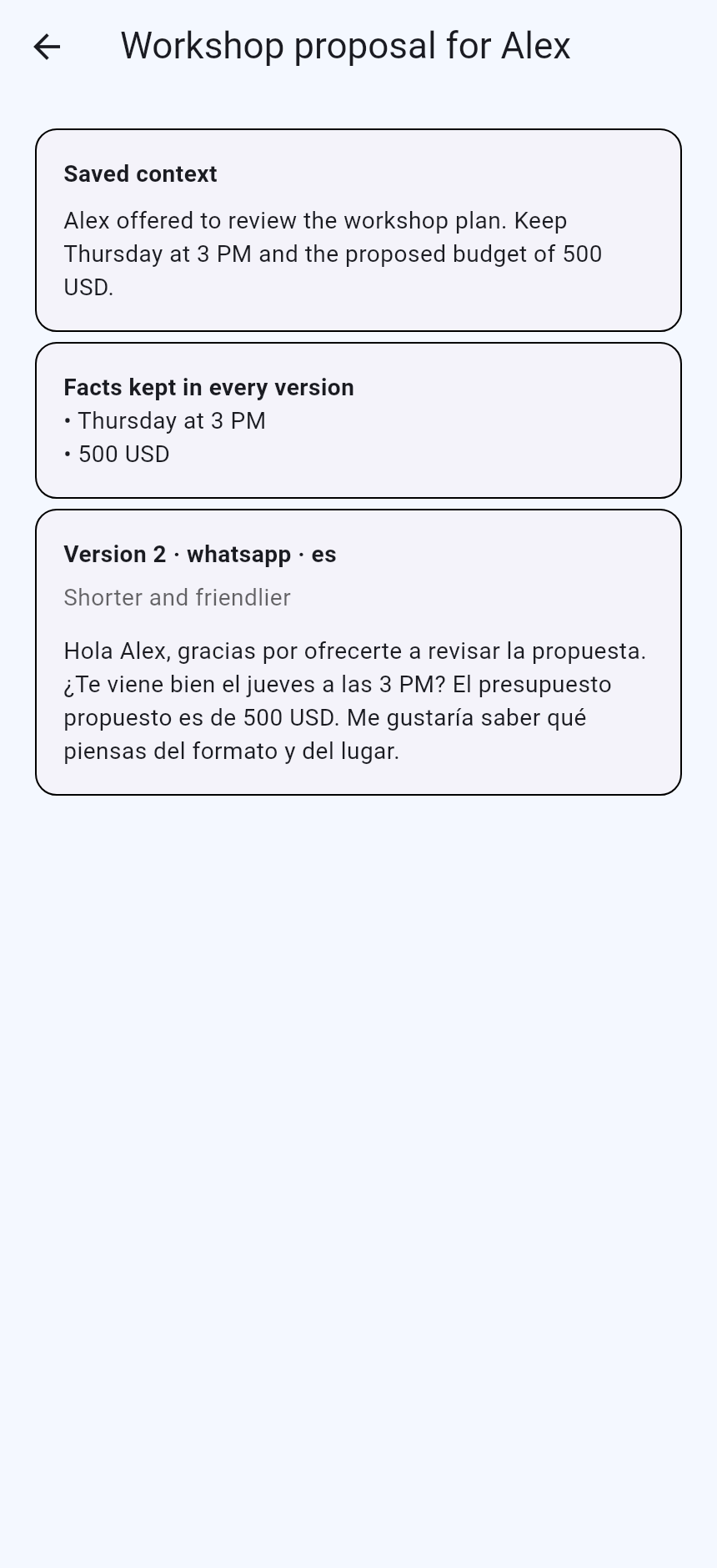
Ask for a friendly Spanish message to Alex about next week’s workshop. Give the recipient, the purpose and any fact that must stay exact.
 Lingo Chats
Relationships happen in real conversations. Connect your own WhatsApp when you want Lingo to help find context, prepare a useful answer or send the message you ask for.
Start with Lingo ↗See a worked example ↓
A quick answer can still need context, care and the right language. Lingo can prepare a message for your own WhatsApp, help you find authorized history and send the text, voice note or file you ask for.
Ask for a friendly Spanish message to Alex about next week’s workshop. Give the recipient, the purpose and any fact that must stay exact.
A saved draft can preserve the context and key facts before you choose to send. If you explicitly request sending, the connected account carries out the authorized message.
Review the words or ask for a voice message. You decide who receives it and when the conversation should continue.
WhatsApp is optional. If you only want help sending, choose send only. Reading earlier messages needs the separate history access you authorize. The connection should support the relationship without demanding more access than the task needs.
People working across languages · Small business owners · Anyone with important WhatsApp conversations
✓Send text and approved files
✓Ask for a voice message
✓Search authorized conversation history
✓Find shared images and documents
✓Work with messages across languages
WhatsApp is optional. Choose send only, approved history access or the other access modes offered in onboarding.
Use the service from your Lingo account. For account access and any plan conditions, use the options shown in the app.
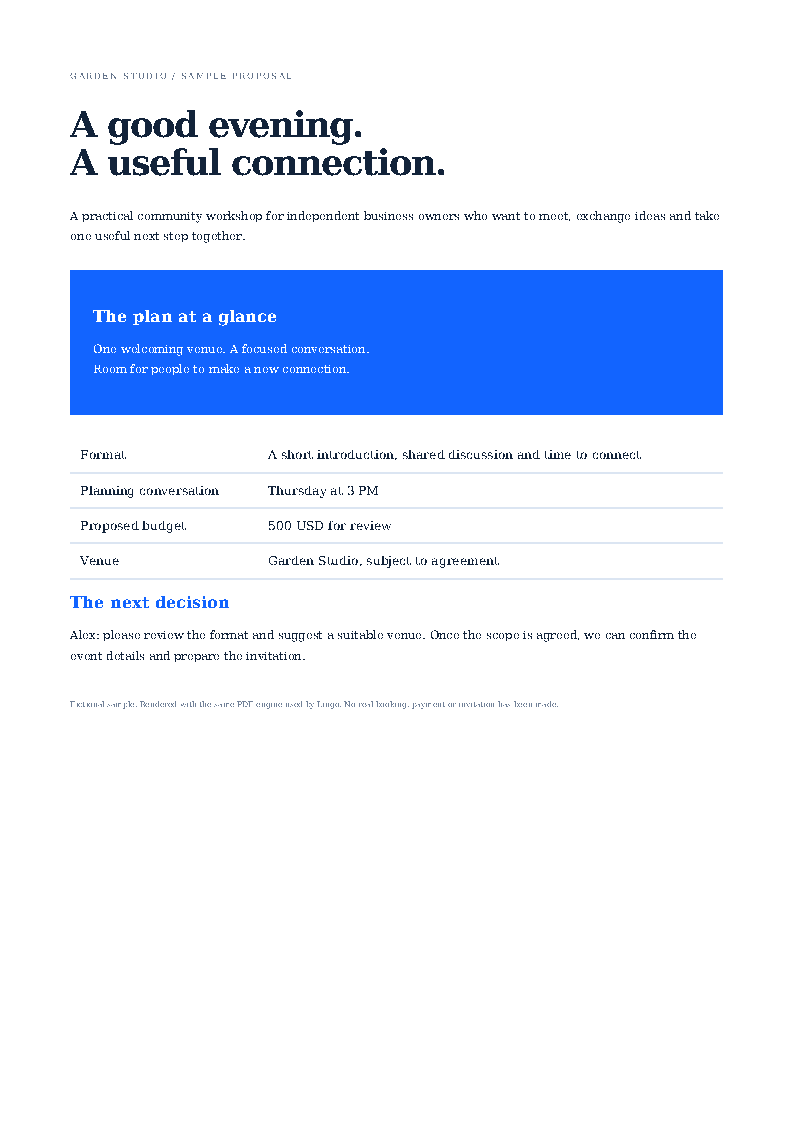
Open Lingo ↗A community workshop. A conversation on Thursday at 3 PM. A proposed budget of 500 USD. A venue for Alex to review.
Open the actual sample PDF to inspect the result. Review the details before asking Lingo to share the finished file through a connected channel.
No. Send only does not authorize reading conversation history. Additional reading requires the access you choose.
WhatsApp is optional. Choose send only, approved history access or the other access modes offered in onboarding.
No. The interface examples use fictional sample data. Generated photographs are illustrative. The downloadable samples are provided so you can inspect the format and result.
Start with one person, one promise or one thing you want to move forward.