


What you bring
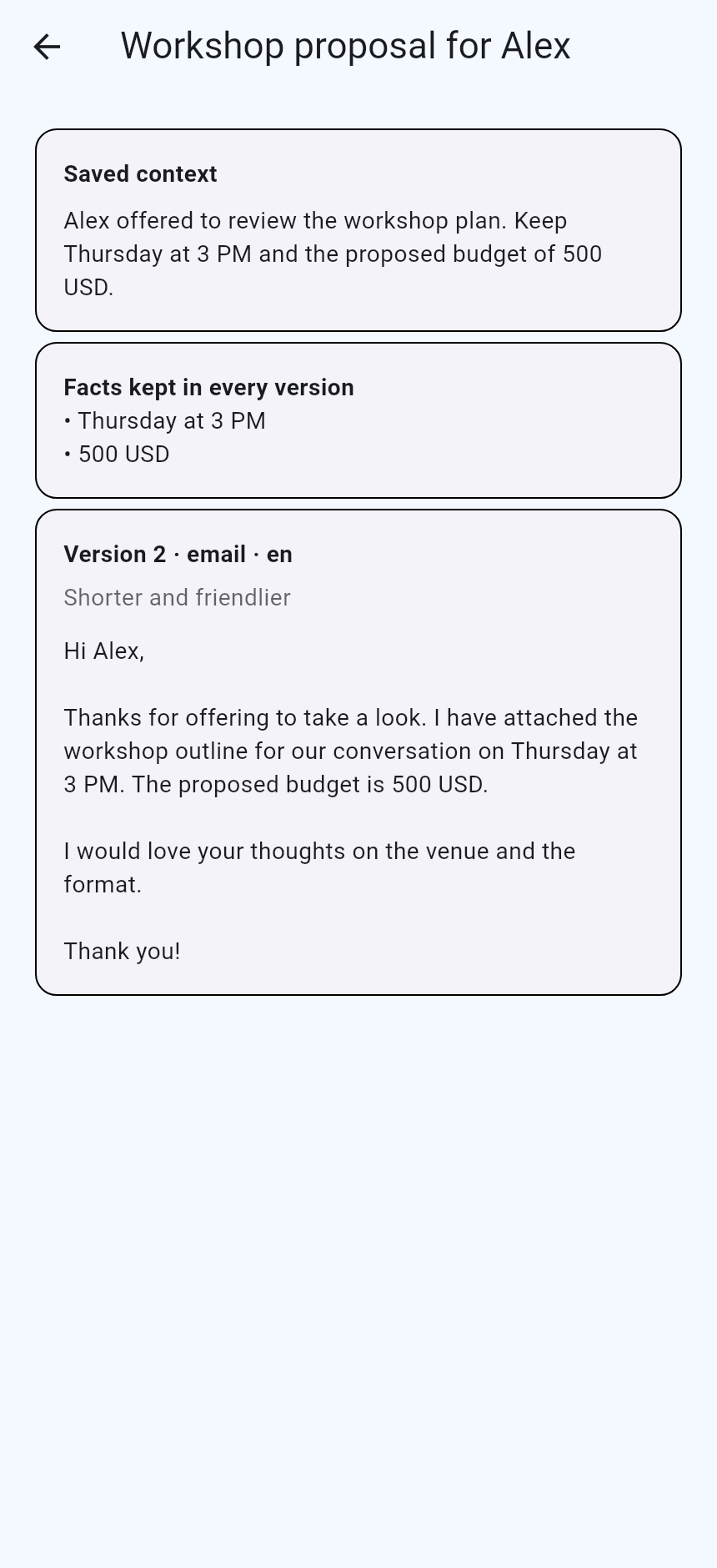
Ask Lingo to find Alex’s proposal, explain the important points and prepare an answer that keeps Thursday at 3 PM and the agreed amount.
 Lingo Chats
Your inbox is full of relationships, decisions and opportunities. Ask Lingo to find the message that matters, explain it and help you respond with the right context.
Start with Lingo ↗See a worked example ↓
The proposal, the detail you need, the conversation you meant to answer. Finding the message is the beginning. Understanding it and replying with the right facts is what moves the relationship forward.
Ask Lingo to find Alex’s proposal, explain the important points and prepare an answer that keeps Thursday at 3 PM and the agreed amount.
The draft view can keep the source context and required facts beside the revised message. You can see what the reply is based on before deciding to send.
Make it warmer, shorter or more direct. When the recipient and text are right, ask to send through your connected Gmail.
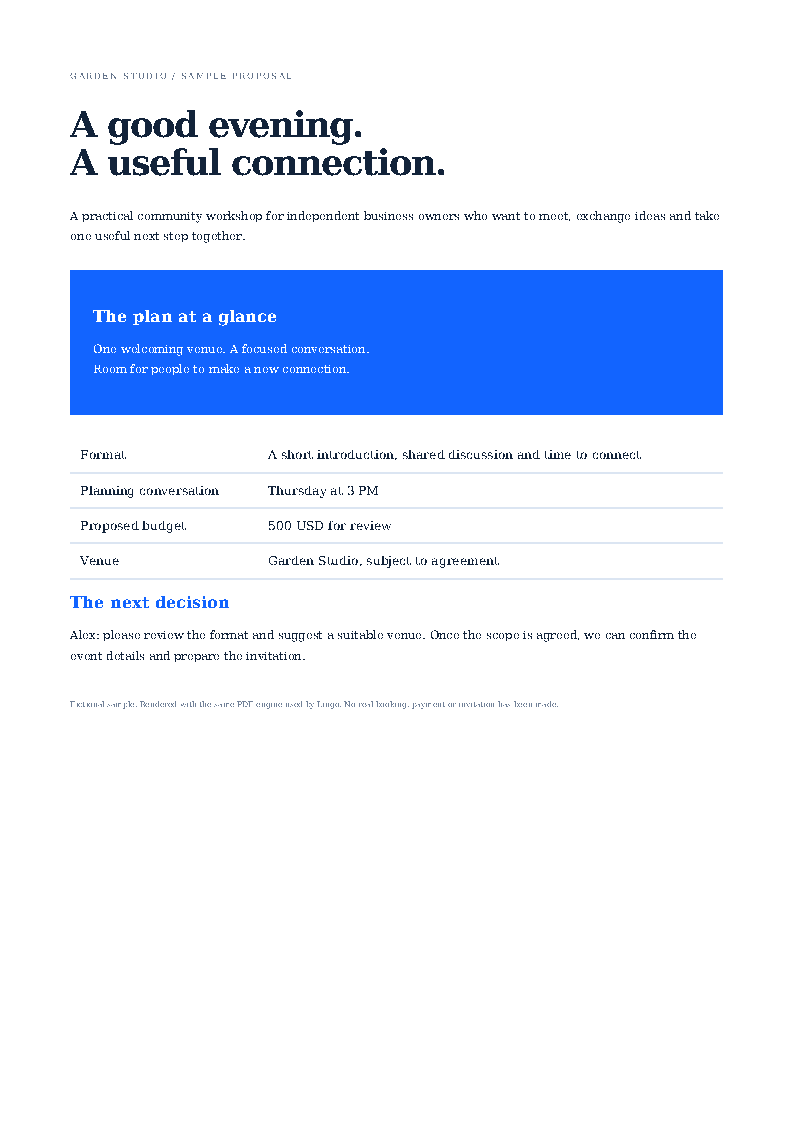
A finished proposal or image should reach the person as a real file. Ask Lingo to attach its generated PDF, image or QR output to your email rather than making you find the file and start again.
Advisers and consultants · People responding to proposals · Anyone with a busy personal inbox
✓Search and read your connected Gmail
✓Understand a long email
✓Prepare or send a reply
✓Attach generated images and PDFs
✓Manage labels and message read status
Connect Gmail separately and authorize the access requested. Sending uses the connected account and needs your instruction.
Use the service from your Lingo account. For account access and any plan conditions, use the options shown in the app.
Open Lingo ↗A community workshop. A conversation on Thursday at 3 PM. A proposed budget of 500 USD. A venue for Alex to review.
Open the actual sample PDF to inspect the result. Review the details before asking Lingo to share the finished file through a connected channel.
No. Ask for a draft when you want to review it. Ask explicitly to send when you are ready.
Connect Gmail separately and authorize the access requested. Sending uses the connected account and needs your instruction.
No. The interface examples use fictional sample data. Generated photographs are illustrative. The downloadable samples are provided so you can inspect the format and result.
Start with one person, one promise or one thing you want to move forward.